
Rosie’s House needed fewer tools, not new software.

We interviewed staff, teachers and parents, mapped enrollment and a class day, evaluated 52 platforms, and connected the one that fit to Salesforce. No custom code.

Client
Rosie’s House, a free music academy for youth in downtown Phoenix
What we did
Discovery research, platform evaluation, Salesforce integration, training
Result
DreamClass, connected to Salesforce with a Make.com flow staff maintain
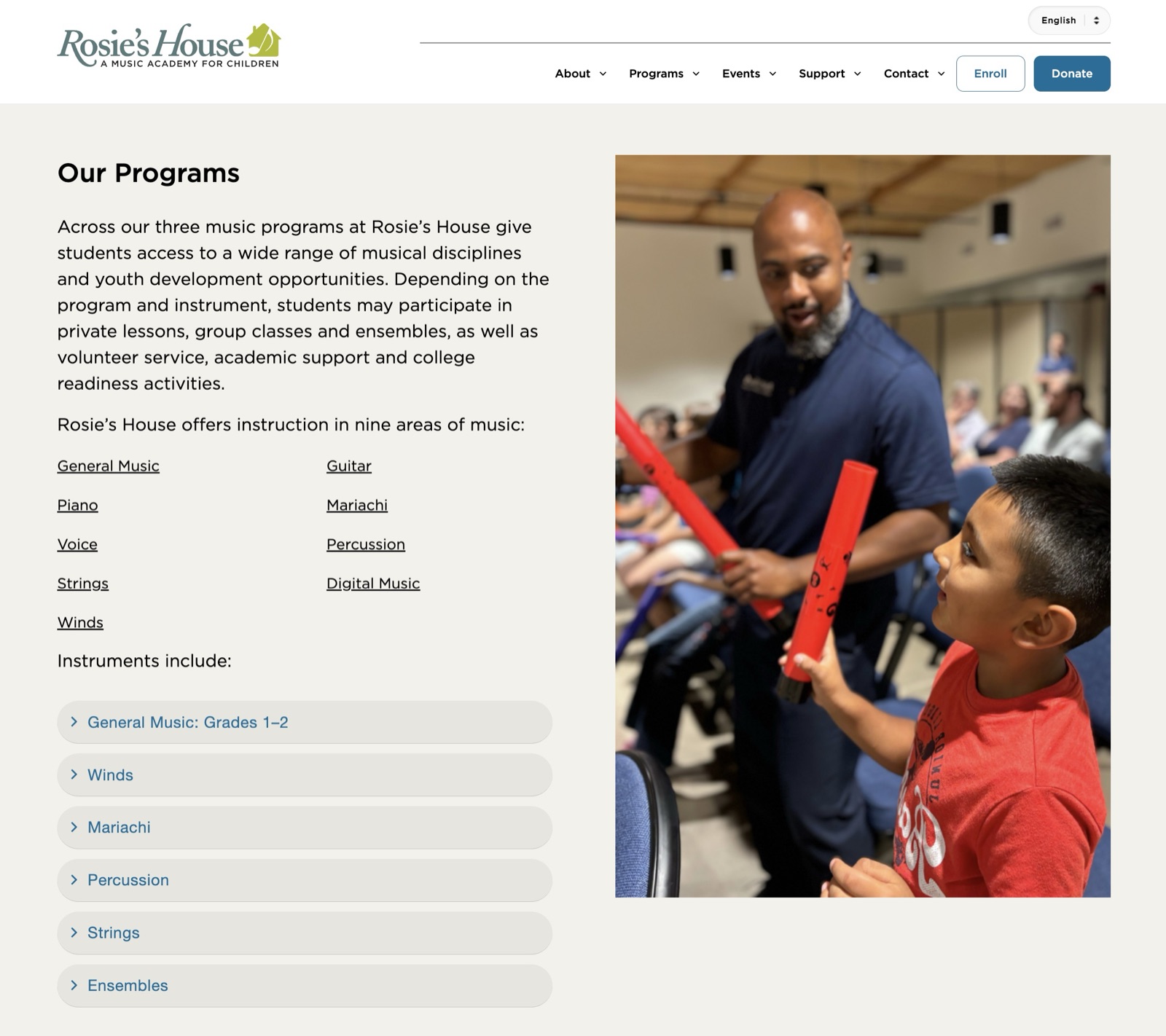
The Rosie’s House website
rosieshouse.org
  • 650students, ages 4 to 18
  • 3groups interviewed: staff, teachers, parents
  • 2journeys mapped
  • 52platforms evaluated
  • 0lines of custom code

In short: fewer tools, one flow.

  • Rosie’s House teaches about 650 students, ages 4 to 18, for free. Admission is by lottery after a required family interview.
  • Enrollment and attendance ran across Salesforce, Excel, FormAssembly, Mailchimp, a check-in kiosk and paper clipboards. Getting schedules to returning families took about six weeks every summer.
  • We interviewed staff, teachers and parents, wrote three personas and mapped two journeys: enrollment and a class day.
  • We evaluated 52 platforms against what we heard. DreamClass, built for music schools, was the only one to pass testing.
  • A Make.com flow sends enrollment and attendance to Salesforce, where donor and grant reporting lives. Staff maintain it without a developer.
MalakMagnolia Development
Who we listened to

Rosie’s House runs a free after-school music program for Pre-K through 12th grade: lessons, ensembles, mariachi, digital music, college prep. Classes meet Monday to Thursday afternoons and Saturday mornings across a 32-week year.

Before looking at any software, we talked to the three groups who would use it: staff who run enrollment and logistics, teachers, and parents.

We asked staff how they track enrollment, schedule classes and reach families. We asked teachers how they take attendance, record progress and contact parents. We asked parents how they see schedules, follow their child’s progress and reach the office.

From those interviews we wrote three personas. Each stands for a group, not one person.

Composite personas built from our interviews

Jordan Lee

Program manager, staff

Keeps the academy running: enrollment, schedules, family communication and the records funders ask for.

“Manual input is time-consuming; it should be a one-and-done.”

Frustrations

  • Tools lack the features and integrations staff need
  • Manual entry crowds out higher-value work
  • A high volume of messages with families
  • Data lives in too many places
  • Last-minute report requests disrupt the week

Alex Johnson

Music teacher

Keeps technology to a minimum to protect hands-on teaching time, and wants admin tools that simply work.

“I’ve never had the opportunity to have an easy way to reach out to families.”

Frustrations

  • Software and compatibility problems
  • An overloaded network
  • Students forget sheet music or bring the wrong parts
  • Avoids contacting families so office staff are not burdened
  • No way to see whether staff followed up

Carmen Hernandez

Parent of two students

Wants quick texts about class changes, practice help at home, and a closer link to the Rosie’s House community.

“I think a little bit more direct contact with the parent would be helpful.”

Frustrations

  • Hard to keep track of events and recitals
  • Volunteer hours are hard to fit around family life
  • Little personal feedback on progress
  • Busy schedules make it hard to talk to teachers

Where it hurt

Then we drew two journey maps with the personas side by side: enrollment, from March to the first day of class, and a single class day through the end of term. Each stage records what happens, who does it, how it feels and where it hurts.

Show

March to the first day of class

Application and screeningtwo weeks
Lottery
Registrationthree weeks
Orientation and schedulingsix weeks
Good Rough
Stage 4 of 13
Stage 4 of 13

Forms into Salesforce

  • Staff turn each application into a Salesforce record
  • They clean up phone numbers and emails by hand
  • They group families and convert them to leads
Pain pointStaff spend hours entering and cleaning up data by hand.
“This is a lot of manual work...”
Jordan, program manager

Jordan: roughAlex: mixedCarmen: mixed

Opportunities we took from this map

  • One reliable way to reach families
  • Less manual staff work in enrollment
  • Less time and effort to build schedules

What we said we would measure

  • Parent response rate
  • Application conversion rate
  • Time from application to enrollment
  • Program cost per student

What we wrote down

  1. The same data is typed more than once. Applications are retyped into Salesforce. Families fill out a second registration form with information they already gave. Attendance goes into Salesforce, then again into Excel.
  2. Schedules are the longest stretch. Returning schedules are built in Salesforce and Excel, moved into Word, then sent as a PDF per household by four people splitting families by alphabet.
  3. Teachers can’t reach families. Messages go through staff and often never arrive. Texts hit character limits, spam filters and carrier blocking.
  4. Paper and kiosks don’t count right. Attendance lives on clipboards until staff type it up, and the kiosk sign-in is inaccurate.

How we chose

Three questions decide whether to build, buy or connect:

  • Is there software built for organizations like this one? Yes. Platforms made for music schools exist.
  • Does information have to move between tools? Yes. Salesforce has to keep receiving it.
  • Is the process itself the advantage, or do outsiders use it directly? No.

That answer is buy, then connect. So we evaluated platforms with the same questions for each, priced at today’s size and at the size Rosie’s House plans to grow to.

From our platform investigation matrix

Stage 1 · Paper review

The same questions for all 52

We checked each platform against the needs the interviews and journey maps surfaced, and priced it at today’s size and at the size Rosie’s House plans to grow to.

Fit

  • Built for music schools, youth programs or nonprofits
  • Nonprofit pricing
  • Reviews on Capterra, TrustRadius and G2
  • Onboarding help

Safety

  • Encryption and data privacy
  • Exporting our data out
  • Separate logins for staff, teachers, parents and students
  • Two-factor sign-in
  • WCAG checks on the site, login and portal

Daily work

  • Enrollment, schedules and attendance
  • Progress and recitals
  • Instrument loans
  • Messaging, translation and mobile
  • Forms, reporting and integrations
About 200 users
Priced for today: 170 families plus staff and teachers
About 600 users
Priced for growth: 500 families

How it connects

DreamClass took over enrollment, attendance, check-in and schedules. Salesforce stayed where donor and grant reporting lives. The gap between them is closed by a Make.com flow, with a native connector to Mailchimp for campaigns.

Creating a proactive workflow out of a reactive one

See how we took Rosie’s House’s well-understood but complex workflow and helped them codify it into one that handles the tedium for them.

Tools and chores from the journey maps

MakeMake FormAssembly Clipboards Salesforce Mailchimp Check-in kiosk Excel retype each form export the list recount by hand type up the roster rebuild class lists paste into Excel log absences text each family
  • FormAssembly to Salesforce By hand: retype each form.
  • Salesforce to Mailchimp By hand: export the list.
  • Check-in kiosk to Salesforce By hand: recount by hand.
  • Clipboards to Salesforce By hand: type up the roster.
  • Salesforce to Excel By hand: rebuild class lists.
  • FormAssembly to Excel By hand: paste into Excel.
  • Check-in kiosk to Excel By hand: log absences.
  • Clipboards to Mailchimp By hand: text each family.

What happens when a family enrolls

Every new enrollment runs through one flow. It looks the family up in Salesforce, then takes one of three routes on its own: update a returning family, create a new one, or hold the record when the guardian email is missing.

We made those decisions automatic on purpose. Staff used to make them by hand for every application, which is where retyping, duplicates and missed families came from. Now the same rule gives the same answer every time, and staff only see the records that truly need a person.

Handling multiple use-cases with simple routing

When a family enrolls for a new year at Rosie’s, depending on the information they provided, the team would often have to step in to do extra manual work. With our solution, we’ve simplified that process for them so they can focus their attention and time on the families that actually need them.

Keeping every record clean

On the way to Salesforce, each field is checked and put in the same format. Nothing is duplicated, and staff hear about every change.

Integration work doesn't have to feel robotic

See how we helped make sure that whatever a user puts in, it still automatically matches the team's preferences and needs by the time it reaches them.

Hand-off

We configured DreamClass the way the academy thinks about itself: by track, cohort and instructor, with families linked together.

Then we stayed for the switch. We spent several weeks training staff hands-on as they ran enrollment and attendance in DreamClass, and ran an in-person workshop for all of their teachers. They still run on it.

The journey maps also gave us something to measure against: time spent teaching instead of on admin, parent response time, and time from application to enrollment.

“I can’t express enough how grateful I am for everything that you have poured into this project. You set us up well for success.”
Marvin S., Program & Community Engagement Director, Rosie's House

Sources and notes

  1. Personas are composites built from interviews with staff, teachers and parents. Names are invented.
  2. Journey maps: Rosie’s House Enrollment and Day-to-Day journey maps, drawn by Magnolia Development from the interviews.
  3. Platform figures come from our platform investigation matrix and hands-on score card.
  4. Pricing was estimated at about 200 users (170 families) and about 600 users (500 families).
  5. Records in the flow examples, such as the Garcia family, are samples. Field names are simplified.
  6. Program facts come from Rosie’s House’s published enrollment information.

Not sure whether to build or buy?

The first call is free and takes about 30 minutes. We'll tell you if you don't need custom software.